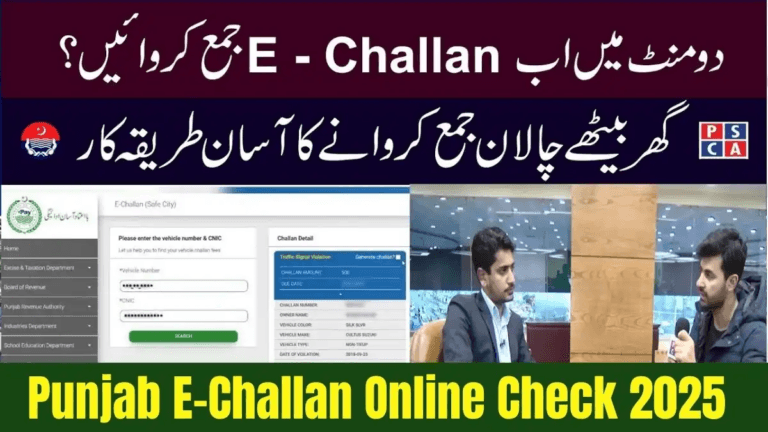
How to Check E-Challan on echallan.psca.gop.pk – Step-by-Step Guide 2025
The Punjab Safe Cities Authority (PSCA) has fully digitized its traffic enforcement system, allowing all drivers in Punjab to check traffic fines online within seconds. In 2025, the official portal echallan.psca.gop.pk acts as the central platform where vehicle owners can:
- Check active e-challans
- View violation photos
- Download challan PDFs
- Verify payment status
- Track challan history by CNIC or vehicle number
Whether you ride a motorcycle, drive a car, or operate a commercial vehicle, this guide explains the complete step-by-step method to check your Punjab e-challan safely and correctly.
What Is echallan.psca.gop.pk?
echallan.psca.gop.pk is the official Punjab e-Challan portal operated by the Punjab Safe Cities Authority. All violations detected by:
- Safe City surveillance cameras
- ANPR (Automatic Number Plate Recognition) systems
- Digital patrolling devices
- Traffic police smart terminals
are automatically uploaded to this website.
The Portal Allows You To:
- Search challans by CNIC or vehicle number
- View full violation details
- See camera-captured photos
- Download challan PDFs
- Check whether fines are paid or unpaid
- Review your total challan history
This ensures transparency, accountability, and fairness for all drivers across Punjab.
Why Checking Your E-Challan Is Important in 2025
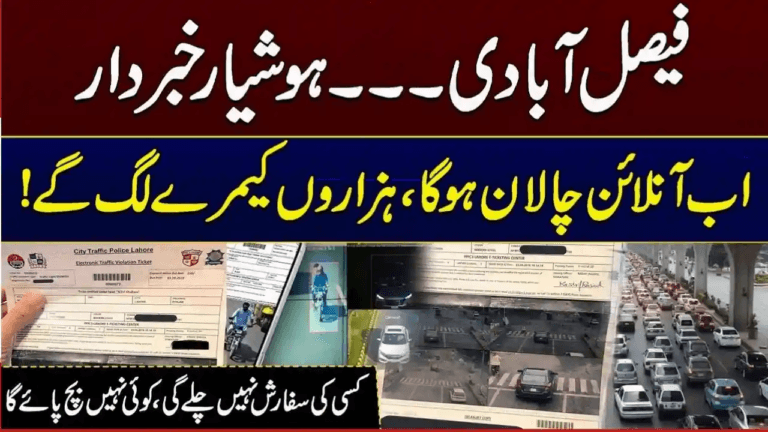
With fully automated enforcement, many violations are recorded without traffic wardens stopping vehicles. Drivers often remain unaware of fines until serious penalties occur.
Checking your e-challan online helps you:
1. Avoid Penalties & Legal Problems
Unpaid challans can result in:
- Vehicle impoundment
- Extra surcharges or penalties
- Blocked ownership transfer
- Issues at police checkpoints
2. Know the Exact Reason for Your Fine
The portal shows:
- Violation type
- Time and date
- Exact location
- Camera evidence images
3. Track Complete Challan History
All current and past challans linked to your CNIC or vehicle appear in one place.
4. Maintain Full Transparency
No paperwork, no disputes — everything is visible online before payment.
Information Required to Check an E-Challan
You only need one of the following:
| Method | Information Needed |
|---|---|
| Check by CNIC | Vehicle owner’s 13-digit CNIC |
| Check by Vehicle Number | Complete registration plate number |
| Check by Challan ID | Challan number from SMS or PDF |
No registration book or physical documents are required.
How to Check E-Challan on echallan.psca.gop.pk (Step-by-Step – 2025)
Step 1 – Open the Official Website
Visit:
The portal works on:
- Mobile phones
- Tablets
- Laptops
- Desktop computers
Step 2 – Choose Your Search Method
Select either:
- Search by CNIC
- Search by Vehicle Number
Step 3 – Enter Required Details
Depending on your selection:
✅ Enter your CNIC number, or
✅ Enter your vehicle registration number (example: LEA-1234, LEC-8890, etc.)
Ensure correct formatting exactly as printed on your registration documents.
Step 4 – Solve CAPTCHA
Enter the security code displayed on screen to verify you are human.
Step 5 – Click “Search”
Within seconds the system will display:
- Pending challans
- Paid challans
- Violation descriptions
- Fine amounts
- Date and time of violation
- Location
- Downloadable PDF challans
- Camera photo proof
If your vehicle has multiple fines, all will appear together.
How to View Violation Photos
Most camera-based challans include photo evidence.
Each image displays:
- Your vehicle
- The violation moment
- Signal or lane markers
- Readable number plate
This provides clear visual proof for every violation.
How to Download E-Challan PDF
To save your challan slip:
- Search your challan
- Click “Download PDF”
- Save to your phone or computer
- Print only if paying through a bank counter
The PDF contains:
- Challan ID
- Violation details
- QR code
- Payment instructions
- Camera photo proof
How to Pay E-Challan After Checking
You can pay your challan through any of the following official channels:
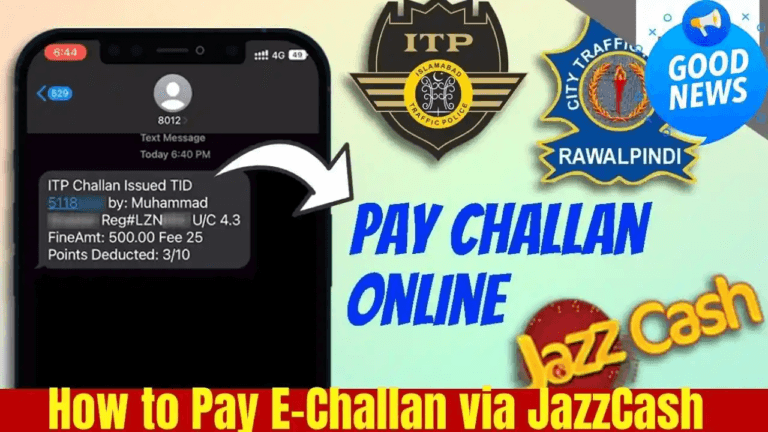
1. JazzCash
- Open JazzCash app
- Go to Traffic Challan
- Enter CNIC or Challan ID
- Pay instantly
2. Easypaisa
- Open Easypaisa
- Select Government Payments → Traffic Challan
- Enter CNIC or Challan ID
- Pay online
3. Mobile Banking Apps
Supported banks include:
- HBL
- MCB
- UBL
- Bank Alfalah
- Meezan Bank
- Allied Bank
Steps:
- Go to Bill Payments
- Choose Traffic Challan
- Enter Challan ID
- Confirm payment
4. ATM Payment
- Insert ATM card
- Select Bill Payments
- Choose Traffic Challan
- Enter Challan ID
- Pay
5. Bank Counter (Cash)
- Download & print challan
- Visit any 1-Link supported bank branch
- Pay cash at counter
- Keep receipt safely
How to Verify Payment Status
After paying:
- Return to echallan.psca.gop.pk
- Enter CNIC or vehicle number
- Click Search
Result:
✅ Status shows PAID — payment completed successfully.
Update time: usually 1–3 hours (may take up to 24 hours depending on banking delays).
Common Violations Detected by PSCA Cameras (2025)
| Violation | Fine |
|---|---|
| Red Signal Violation | Rs. 2,000 |
| Helmet Violation | Rs. 2,000 |
| Wrong / Fancy Number Plate | Rs. 5,000 |
| Over-speeding | Rs. 750 – 2,000 |
| Illegal Parking | Rs. 500 |
| Lane Violation | Rs. 1,000 |
| One-Way Violation | Rs. 2,000 |
| Seatbelt Violation | Rs. 1,500 |
Benefits of Checking E-Challan Online
- Saves time — no office visits
- Full digital transparency
- Accessible worldwide (useful for overseas Pakistanis)
- Tracks outstanding fines easily
- Prevents surprise penalties
- Encourages safer driving directly through accountability
Frequently Asked Questions
1. Do challans always include photos?
Most camera-based challans do include images showing the violation clearly.
2. Can someone else pay my challan?
Yes. Anyone can pay using your CNIC or Challan ID.
3. Why is my challan not appearing online yet?
New challans may take 24–48 hours to appear in the portal.
4. Can I dispute a wrong challan?
Yes. You can submit a complaint via PSCA support or at your nearest traffic office with evidence.
5. Do I need to print the challan for digital payment?
No. Digital payments require only your Challan ID or CNIC. No printout is necessary.
Conclusion
Checking your e-challan on echallan.psca.gop.pk in 2025 is fast, secure, and completely transparent. With only your CNIC or vehicle number, you can:
- View all fines instantly
- See violation photos
- Download challans
- Pay digitally within minutes
- Verify payment status
All Punjab drivers should check their challan records regularly to avoid unexpected penalties, vehicle restrictions, or legal issues. The PSCA digital system promotes safer, more accountable driving across the province.