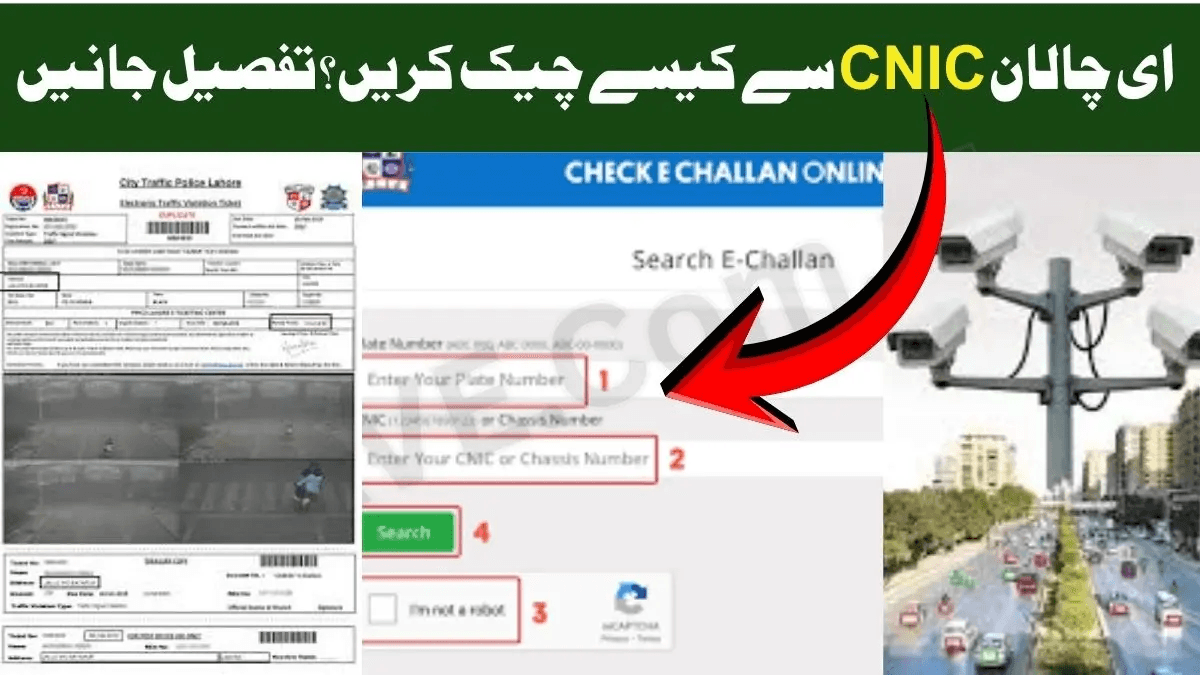
How to Check Punjab e-Challan by CNIC (December 2025 Complete Guide)
In 2025, the Punjab Safe Cities Authority (PSCA) upgraded its e-challan tracking system to make traffic fine checking easier, faster, and more accurate. One of the most requested options is Punjab e-Challan Check by CNIC.
This method is ideal for people who:
- Do not remember their vehicle number
- Own or manage multiple vehicles
- Want to see all fines linked to their identity in one place
- Suspect a wrong challan has been issued against them
By checking e-challans through your CNIC, you can:
- View all outstanding traffic fines under your name
- Track challans for multiple registered vehicles
- Confirm if any incorrect challan exists
- Avoid late fees, penalties, and enforcement issues
- Stay updated with 2025 Safe City enforcement rules
Read Also: E-Challan Check | Online PSCA E Challan Verification
1. What Is e-Challan CNIC Search? (Beginner-Friendly Explanation)
e-Challan CNIC Search is a method that lets you check all traffic fines issued under your:
- CNIC
- Registered vehicle numbers
- Safe City camera record
- (In some cases) linked driving licence data
When a Safe City ANPR camera detects a violation, the system assigns the challan to the CNIC that is registered with that vehicle in the Excise & Taxation Department.
This is particularly useful if you are:
- The registered vehicle owner
- A person handling multiple family or business vehicles
- A company/fleet manager
- Someone who has lost or forgotten the vehicle number
Best for:
- People who forgot their vehicle number
- Users with more than one registered vehicle
- Families sharing cars and bikes
- Businesses with fleet vehicles
- Anyone checking for possible wrong challans
2. Common Search Terms People Use for CNIC-Based Punjab e-Challan
When drivers try to verify their fines, they often search:
- How to check challan on CNIC
- E challan check by CNIC number
- PSCA e challan CNIC search
- Punjab e challan online check by CNIC
- Vehicle challan CNIC check Pakistan
These phrases usually reflect needs like:
- Viewing all challans linked to one CNIC
- Managing fines for multiple vehicles under one owner
- Confirming whether a Safe City camera challan is correct
- Understanding PSCA vs Punjab Police enforcement
- Tracking fines on company or family vehicles
This guide covers all of these situations and gives a complete, step-by-step method to check Punjab e-challan by CNIC in December 2025.
3. How to Check Punjab e-Challan by CNIC — Step-by-Step (2025 Updated Method)
Here is the official method to check your Punjab e-challan using CNIC.
Step 1 — Open the Official PSCA e-Challan Portal
Visit the official website:
echallan.psca.gop.pk
Avoid third-party websites and random links in SMS or WhatsApp. Fake links and phishing scams have increased in 2025.
Step 2 — Select the “CNIC Search” Option
On the homepage you will normally see fields like:
- Vehicle Number
- CNIC
Choose the CNIC option (or “Search by CNIC” where available).
Step 3 — Enter Your CNIC (Without Dashes)
Type your 13-digit CNIC, for example:
3520212345671
Make sure:
- The CNIC is registered with a vehicle in Punjab
- You enter the owner’s CNIC, not just the driver’s
- Your CNIC is correctly updated in the Excise & Taxation record
Step 4 — Click Search to View All Linked Challans
Press Search / Check.
You will now see:
- All unpaid e-challans
- All paid challans (where payment is recorded)
Each challan usually includes:
- Date and time of violation
- Location (road, intersection, or camera point)
- Type of violation (speeding, red light, helmet, number plate, etc.)
- Fine amount
- Camera or device ID
- Option to view photo evidence (where available)
Step 5 — Download, Pay, or Dispute Your Challan
Once your challans appear, you can:
a) Pay Online
Use any of the following:
- ePay Punjab
- JazzCash
- Easypaisa
- Mobile banking apps
- ATM / Internet banking
You will typically pay using a PSID / challan ID or CNIC.
b) Download Challan Slip (PDF)
Useful if you prefer:
- Paying at a bank counter
- Keeping a record of all fines
c) Dispute a Wrong Challan
If the photo or details clearly do not match your vehicle:
- Use the online dispute option (if available), or
- Visit the relevant Traffic Police / PSCA office with evidence (explained further below)
4. How to See All Vehicles Linked to Your CNIC (Where Available)
In some cities and Safe City zones, the system allows you to view multiple vehicles registered under the same CNIC.
This is especially useful for:
- Fleet owners
- Transport and logistics companies
- Showroom owners
- Families managing multiple cars and bikes
Where the feature is enabled, you may see a “View All Vehicles Linked to CNIC” or similar option on the portal.
If this is not visible in your district, you will have to:
- Check challans vehicle-wise, or
- Use CNIC search where the system automatically aggregates active challans
5. How to Check Punjab e-Challan by CNIC on Mobile (2025)
You can use several mobile-based options to check challans by CNIC.
Method 1 — ePay Punjab App
Inside ePay Punjab:
- Go to: Traffic / e-Challan
- Select CNIC Search (if visible) or Challan Search
- Enter CNIC or challan details
- View and pay directly in the app
Method 2 — PSCA Mobile App (Where Enabled)
In districts where the PSCA app is active, you can:
- Search challans by CNIC
- View violation details and images
- Receive notifications about new challans
- Pay directly via linked bank / wallet options
Method 3 — Bank Mobile Apps
Major bank apps (HBL, UBL, MCB, Meezan, Allied, etc.) provide:
- Government Payments → Punjab e-Challan / PSCA
Some allow lookup or direct payment via:
- CNIC
- PSID / challan ID
6. How to Check Punjab e-Challan by CNIC via SMS (Where Available)
In 2025, Punjab Police and PSCA are using SMS for alerts, but not always for full challan search.
Common official shortcodes include:
- 8070 – PSCA challan alerts
- 8815 – Punjab Police information service
These are primarily used to notify you of new challans, not for full history.
In districts where SMS lookup is enabled, you may:
- Send:
CNIC 3520XXXXXXXXX
to the official shortcode (for example 8815, if announced locally)
Always confirm shortcode numbers from official sources before using.
7. How to Use WhatsApp for e-Challan by CNIC (New 2025 Pilots)
Some Safe City projects are testing WhatsApp-based services.
Where active, you can:
- Save the official Safe City WhatsApp number
- Send your CNIC
- Receive:
- List of active challans
- Payment options
- In some cases, violation images
This feature is district-dependent and may not be available across all Punjab yet.
8. Common Errors When Checking e-Challan by CNIC – and How to Fix Them
Error: “No record found”
Possible reasons:
- No vehicle is registered under your CNIC
- Your CNIC is not linked correctly in the Excise database
- Vehicle is registered in another province
Solution:
- Confirm your CNIC in Excise & Taxation records
- Update ownership details if you recently purchased or sold a vehicle
Error: “Invalid CNIC format”
Reason:
- CNIC entered with dashes or spaces
Solution:
- Enter 13 digits only, no symbols.
Error: “System Busy” or “Server Overloaded”
Reason:
- High traffic on the portal, especially after major crackdowns or press releases
Solution:
- Try again late at night or early morning
- Use a different browser or device
Error: “CNIC and Vehicle Record Mismatch”
Reason:
- The vehicle may still be registered to a previous owner
- Informal sale without official transfer
Solution:
- Complete proper transfer of ownership at the Excise office
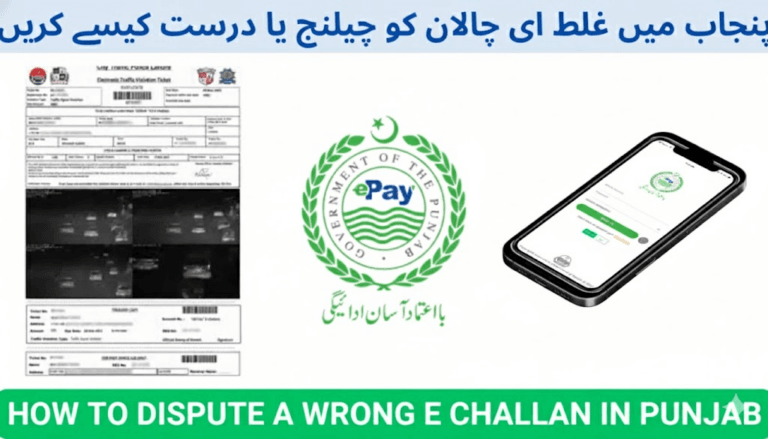
9. How to Dispute a Wrong e-Challan Linked to Your CNIC (2025 Process)
If a challan appears under your CNIC but:
- The vehicle is not yours, or
- Details do not match your car/bike
You should dispute it.
Common causes:
- Cloned or fake number plates
- ANPR misreading due to dirt, damage, or fancy fonts
- Car sold but not transferred
- Stolen vehicle used in violation
- Wrong timestamp or location
Steps to Dispute:
- Go to the PSCA e-challan portal and look for “Dispute Challan” or “File Complaint” (where available).
- Provide:
- CNIC front and back
- Vehicle registration book/card
- Challan screenshot
- Your written explanation
- Any supporting evidence (dashcam, GPS log, photos, etc.)
If online dispute is not available:
- Visit the nearest Traffic Police / PSCA office with the same documents.
Most cases are reviewed within 48–72 hours, and if the violation is confirmed as incorrect, the challan is cancelled in the system.
10. 2025 Updates That Affect CNIC-Based Challan Checking
Key changes influencing CNIC-based e-challan:
- New AI-powered ANPR cameras with higher accuracy
- Automatic challan linking to CNIC and digital driving profile
- Safe City expansion in Gujranwala, Rawalpindi, Multan, Bahawalpur and other districts
- Awareness campaigns about fake SMS and scam links
- Integration of challan history with digital driving behaviour scores in pilot projects
This means your CNIC is now a central reference for your entire traffic behavior profile.
11. How to Avoid e-Challans in 2025 (CNIC Tracking Era)
Since all challans are tied to your CNIC, not just your plate:
- Always wear a proper helmet while riding a bike
- Use a seat belt for driver and front passenger
- Respect speed limits, especially on camera-covered corridors
- Stop fully at red lights and behind the stop-line
- Never alter or hide number plates
- Avoid using mobile phone while driving
- Follow one-way and lane rules strictly
Every violation under your CNIC forms a part of your driving record.
12. Advanced FAQs – Punjab e-Challan by CNIC (December 2025)
Q1: Can I check someone else’s challan using their CNIC?
No. CNIC-based lookup is designed as a personal, privacy-sensitive feature. You should only use your own CNIC.
Q2: Will sold vehicles still appear under my CNIC?
Yes, until you officially transfer ownership at the Excise office. Any challans in that period may still attach to your record.
Q3: Can a challan be removed from my CNIC?
Only if it is cancelled through the official dispute process. Paid challans remain part of your historical record.
Q4: Does CNIC-based search show all vehicles?
It shows challans for all vehicles registered under that CNIC and covered by the PSCA/e-challan system.
Q5: Can repeated challans linked to my CNIC affect my licence?
Yes, in 2025 some districts are testing digital driving history and scoring, where repeated violations can:
- Affect licence renewal priority
- Trigger stricter enforcement actions
Conclusion
Checking Punjab e-Challan by CNIC is the most powerful and convenient way to manage your traffic fines in December 2025. Whether you handle multiple vehicles, want a complete challan history, or need to verify and dispute camera-based violations, the CNIC search option gives you a single, central view of your record.
By regularly checking your e-challans through CNIC, updating your vehicle ownership records, and following traffic rules, you can:
- Avoid unexpected penalties
- Keep your driving profile clean
- Stay fully aligned with Punjab’s modern Safe City enforcement system.