How to Download or Print a Duplicate E-Challan Slip in Punjab (2025 Guide)
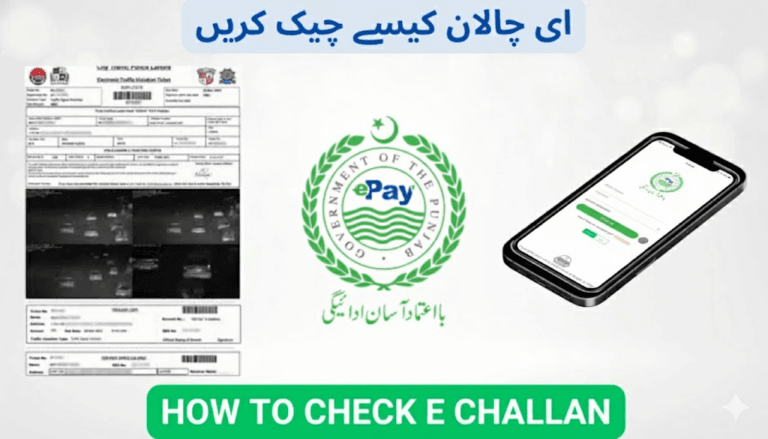
If you’ve misplaced your traffic challan slip or never received it through SMS or courier, there’s no need to worry. Punjab’s official digital traffic system allows you to download or print a duplicate E-Challan slip online within minutes from home.
The Punjab Safe Cities Authority (PSCA) and City Traffic Police Lahore (CTPL) have simplified the entire process so that any vehicle owner can instantly check, verify, and reprint their challan online — no office visits required.
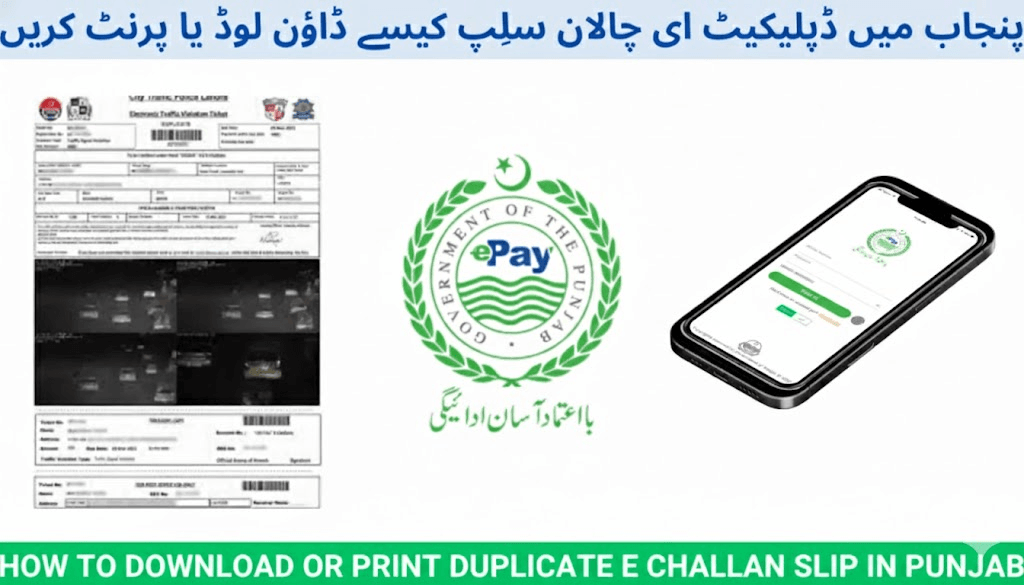
✅ Download or Print Duplicate E-Challan Slip in Punjab
What Is an E-Challan?
An E-Challan is a computer-generated traffic fine issued when your vehicle violates traffic rules, such as:
- Signal jumping
- Over-speeding
- Wrong or illegal parking
- Lane violations
The violation is detected by ANPR (Automatic Number Plate Recognition) cameras installed by PSCA. Each challan is linked to your vehicle’s registration record from the Punjab Excise & Taxation Department, allowing secure online verification and retrieval.
✅ Official E-Challan Website for Punjab
The trusted portal to check, download, and print your E-Challan slip is:
From this website, you can:
- ✅ Check pending or paid challans
- ✅ Download duplicate challan slips
- ✅ Print copies for official use
- ✅ Verify payment status instantly
✅ What You Need Before Downloading
Keep the following ready:
- Vehicle Registration Number (as per Excise records — no spaces or dashes)
- CNIC (optional for extra verification)
- Mobile phone or computer with internet
- PDF viewer or printer (for printout)
✅ Step-by-Step: Download or Print Duplicate E-Challan Slip
Step 1: Visit Official Portal
Go to:
Step 2: Enter Your Vehicle Number
Type your number plate exactly as registered:
Example: LEA1234
(Optional: Add your CNIC if requested)
Click Search.
Step 3: Review Challan Record
All challans associated with your vehicle will appear, including:
- Challan Number
- Violation Type
- Date & Time
- Camera Location
- Fine Amount
- Payment Status (Paid or Unpaid)
Step 4: Download Duplicate Slip
Next to your challan, click the Download or Print (PDF) icon.
✅ The website generates a PDF challan slip instantly.
Save it on your phone or computer.
Step 5: Print (Optional)
To print the copy:
- Press Ctrl + P (Windows) or Command + P (Mac)
- Select printer and print
You can also email the PDF to a nearby print shop.
✅ Alternative Method: Check Challan by SMS (8815)
If you don’t have immediate internet access, you can still retrieve your challan via SMS:
- Open your SMS app
- Type your vehicle registration number
Example:LEA1234 - Send it to 8815
You’ll receive details including:
- Challan number
- Violation type
- Outstanding fine
Use this information to download or print your slip from:
✅ E-Challan WhatsApp Notifications
Across cities like Lahore, Faisalabad, Multan, and Rawalpindi, PSCA now sends E-Challan alerts through WhatsApp (if your mobile number is linked with your vehicle via Excise).
WhatsApp alerts may include:
- 📷 Violation photograph
- 📄 Digital challan slip
- 🔢 PSID number
- 💳 Payment link
✅ Verify Your Payment Status
After paying through:
- JazzCash
- Easypaisa
- Online Banking apps
Confirm that your record is cleared:
- Visit 👉 https://e-challans.pk
- Enter your vehicle number
- Check the Payment Status
✅ Status should display “Paid”
🔔 If it still shows “Unpaid” after 24 hours, contact PSCA helpline:
📞 15
✅ Retrieve a Deleted or Lost Challan
Even if your slip was deleted, lost, or never received:
- Visit https://e-challans.pk
- Enter your vehicle number
- Click Download / Print
Your challan record stays stored permanently in the PSCA database.
⚠️ Common Errors & Fixes
| Error Message | Reason | Solution |
|---|---|---|
| Vehicle not found | Incorrect plate format | Re-enter without spaces or hyphens |
| No challan shown | No active challans | Check by SMS (8815) |
| Server error | Website peak load | Retry after some time |
| PDF not opening | Browser issues | Download and open via Adobe Reader |
✅ Why You Should Keep a Challan Copy
Always save your challan PDF or printed slip — it’s useful for:
- ✔ Proof of fine payment
- ✔ Vehicle ownership transfer
- ✔ Token tax renewal
- ✔ Insurance claims
- ✔ Legal dispute evidence
✅ Can You Download Paid Challans?
Yes.
PSCA allows access to both paid and unpaid challans.
Steps:
- Visit https://e-challans.pk
- Search using your vehicle number
- Find challans marked Paid
- Click Download / Print for confirmation
✅ Frequently Asked Questions
Can I download a challan using CNIC only?
Vehicle number is usually sufficient. CNIC is sometimes required for added verification.
Didn’t receive SMS — what now?
Check directly on https://e-challans.pk using your plate number.
Can I download multiple challans at once?
Yes — the portal lists all your challans, each downloadable individually.
Is this service available outside Punjab?
Currently, it is only for Punjab. Other provinces use different systems.
Can I download challans from my phone?
Yes — https://e-challans.pk is fully mobile-friendly and supports PDF downloads.
✅ Final Words
Downloading or printing your duplicate E-Challan slip in Punjab through https://e-challans.pk is fast, free, and officially supported by PSCA.
This digital service enables you to:
- Check existing challans
- Download lost slips
- Verify payments
- Maintain proper driving records
✅ Always keep your challan copy after payment — having verified proof protects you from unnecessary penalties and future complications.
Drive responsibly — and stay digitally compliant.