E-Challan via SMS (Punjab “8815” System) and WhatsApp Notifications – Complete 2025 Guide
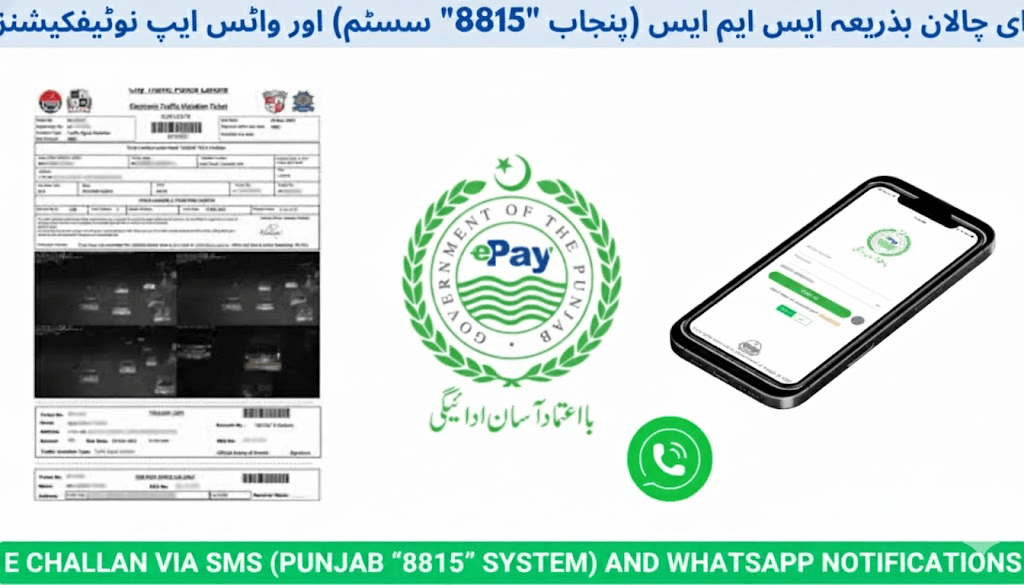
The Punjab Safe Cities Authority (PSCA), working with Punjab Police and City Traffic Police Lahore (CTPL), has modernized traffic fine delivery through SMS alerts sent from 8815 and official WhatsApp notifications. These systems ensure that drivers receive instant, accurate information whenever an E-Challan is issued against their vehicle.
Instead of waiting for paper notices or visiting traffic police offices, vehicle owners now receive real-time digital alerts on their mobile phones — keeping traffic enforcement transparent, fast, and citizen-friendly.
This complete guide explains:
- How the 8815 E-Challan SMS system works
- How to enable official WhatsApp alerts
- How to recognize genuine messages vs scams
- How to verify and safely pay your challan
What Is the Punjab E-Challan 8815 SMS System?
The 8815 SMS service is the official notification system of the Punjab Safe Cities Authority and Punjab Police for traffic challans.
Whenever a traffic violation is captured by ANPR (Automatic Number Plate Recognition) cameras, an electronic challan is generated and an SMS from short code 8815 is sent to the mobile number linked to the vehicle record.
Example of a Genuine 8815 Message
Your vehicle LEA-1234 has been fined Rs. 500 for signal violation at Mall Road Lahore on 22-07-2025. Verify & pay via echallan.psca.gop.pk. For assistance contact CTPL 15.
Only 8815 is authorized to send official E-Challan SMS alerts in Punjab.
How the 8815 E-Challan System Works
Step 1 – Violation Detection
PSCA cameras monitor road violations including:
- Red-light jumping
- Overspeeding
- Lane cutting
- Wrong parking
- Helmet / seatbelt violations
Step 2 – Data Verification
Captured plate numbers are matched with:
- Punjab Excise vehicle records
- CNIC ownership databases
Step 3 – E-Challan Issuance
An official digital challan is created containing:
- Vehicle number
- Violation details
- Date & location
- Fine amount
- Image evidence
Step 4 – SMS Notification
An alert is sent from 8815 to the owner’s registered mobile number.
Step 5 – Payment Confirmation
After you settle the fine via official channels (bank apps, JazzCash, Easypaisa), a payment confirmation SMS from 8815 is sent automatically.
How to Register for E-Challan SMS Alerts
If you do not receive SMS notifications, your phone number is probably not linked to your vehicle record.
Registration Process
Visit your nearest Punjab Excise & Taxation Office with:
- Original CNIC
- Vehicle Registration Book / Smart Card
- Active mobile SIM registered in your own name
Request mobile number linking for your vehicle record.
Once updated, you will receive:
- E-Challan alerts from 8815
- Payment confirmations
- Safety advisories
E-Challan WhatsApp Notifications in Punjab
In 2025, PSCA launched verified WhatsApp notifications to supplement SMS alerts. These messages provide:
- Challan summaries
- PDF challan copies
- Payment reminders
- Safe driving announcements
Enable WhatsApp Challan Alerts
- Visit https://psca.gop.pk to find the verified PSCA WhatsApp Business number.
- Save the number on your mobile.
- Send a message:
“E Challan Status” - The automated system replies with:
- Current challan details
- Violation evidence
- Official portal payment link
How to Confirm That a WhatsApp Message Is Genuine
✅ Green verified WhatsApp Business checkmark
✅ Clear PSCA branding
✅ Professional message structure
✅ Links ending in .gop.pk
Any WhatsApp message without these signs should be treated as a scam.
Official vs Fake E-Challan Messages
| Feature | Official PSCA Message | Scam or Fake Message |
|---|---|---|
| Sender | 8815 SMS or verified PSCA WhatsApp | Random mobile numbers or fake accounts |
| Website links | echallan.psca.gop.pk / e-challan.pk | Strange domains, URL shorteners |
| Message style | Professional, precise | Threatening, poorly written |
| Payment method | Bank apps, JazzCash, Easypaisa official menus | Personal wallet numbers |
| Branding | Punjab Police & PSCA verified marks | Missing or copied logos |
How to Verify Your E-Challan Safely
Never trust an SMS or WhatsApp message blindly. Always confirm using the official portal.
Verification Steps
- Open:
- https://echallan.psca.gop.pk
- or guidance portal https://e-challans.pk
- Enter:
- Vehicle Registration Number or
- CNIC
- Review:
- Active challans
- Violation images
- Fine amounts
- Pay only through verified channels
Safe E-Challan Payment Options
Bank Apps & ATMs
- HBL
- Meezan Bank
- Bank of Punjab
- UBL
- MCB
- Allied Bank
- NBP
Mobile Wallets
- JazzCash → Govt Payments → Punjab E-Challan
- Easypaisa → Traffic Challan Punjab
Official Portals
- echallan.psca.gop.pk
- e-challan.pk
After payment, you receive **confirmation from 8815 or verified WhatsApp.