E-Stamp Online Challan Form Punjab 2025 – Download & Verification Guide
The Punjab Government has introduced a fully digital E-Stamp Online Challan system that allows citizens to generate challan forms online, download official stamp papers, and verify them instantly. In 2025, the system has been upgraded with faster processing, QR-based authentication, and real-time verification, making it easier and more secure to obtain stamp papers for property and legal documentation.
This guide explains the complete step-by-step process for generating a challan form, downloading E-Stamp papers, tracking payment status, and verifying stamp authenticity.
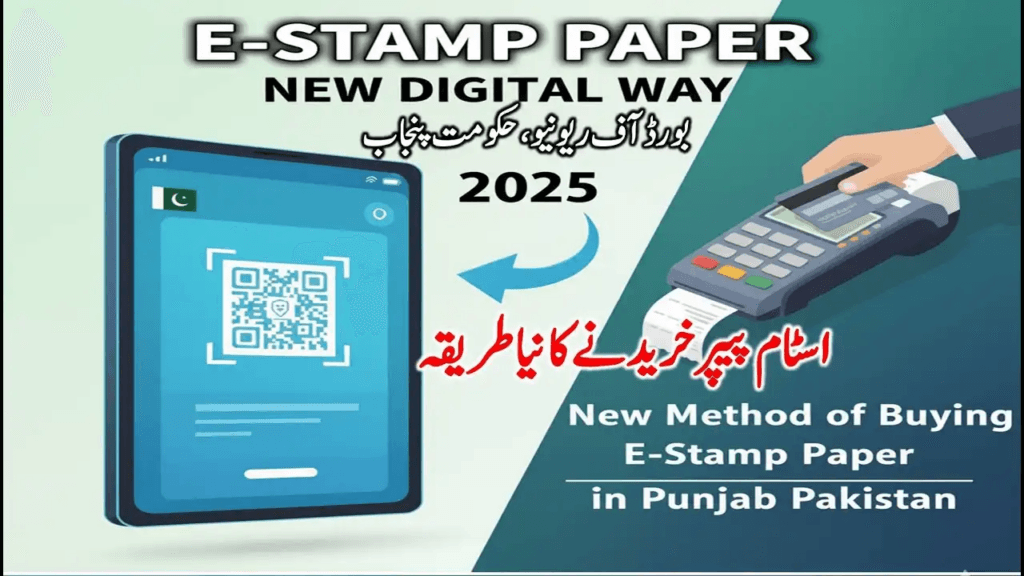
What Is the Punjab E-Stamp Online Challan System?
The E-Stamp system is a digital service launched by the Punjab Board of Revenue in partnership with the Bank of Punjab (BOP). It replaces traditional stamp vendors with an online, centralized platform.
Key Features
- Online stamp paper issuance
- Real-time challan generation
- Secure QR-based verification
- Digital record management
- Instant tracking of paid challans
- Elimination of counterfeit stamp papers
Citizens can now complete most stamp-related processes from home, without visiting stamp vendors or dealing with manual paperwork.
Who Can Use the E-Stamp System in 2025?
Any resident of Punjab can use the service for:
- Property transfer and sale deeds
- Power of attorney documentation
- Rent agreements
- Affidavits
- Business agreements
- Court fee stamps
- Other legal documents (judicial & non-judicial)
Stamp values of all ranges—both low and high—are supported through the online system.
How to Generate E-Stamp Online Challan Form in Punjab (2025)
Follow the official procedure below:
Step 1 – Visit the Official Punjab E-Stamp Website
Go to:
This is the authorized portal for stamping services and challan generation in Punjab.
Step 2 – Select “Generate Challan Form”
Choose the appropriate category:
- Judicial
- Non-Judicial
- Affidavit
- Agreement
- Property Transfer
Select based on your document purpose.
Step 3 – Enter Required Information
Fill in all required fields accurately:
- Applicant name
- CNIC number
- Purpose of stamp
- Stamp value
- Address
- District & tehsil
- Buyer & seller / party details
- Property details (if applicable)
Incorrect information may invalidate the challan or delay issuance.
Step 4 – Generate Challan Form
After submitting the form:
- Form No. 32-A challan is generated
- Unique reference number is issued
- QR-enabled payment slip becomes available
- Total payable amount is shown
Download and print the challan.
Step 5 – Pay the Challan at Bank of Punjab
Payment options include:
- Counter payment at any Bank of Punjab (BOP) branch
- Online banking (if supported by your bank)
- ATM payment (for enabled challans)
Once paid, the system updates the payment status automatically.
Step 6 – Download the E-Stamp Paper
After confirmation of payment:
- Re-visit the E-Stamp website
- Enter your challan tracking number
- Select: Download E-Stamp Paper
Your stamp paper will include:
- QR verification code
- Tracking/reference number
- Complete party details
- Paid stamp value
- Date & place of issuance
How to Verify Punjab E-Stamp Paper (2025)
Stamp verification ensures the document’s authenticity before legal use.
Verification Method 1 – Tracking Number Search
- Open E-Stamp portal
- Enter the stamp tracking number
- Confirm stamp authenticity instantly
Verification Method 2 – QR Code Scan
- Scan the QR code printed on the stamp paper
- View official details online, including issuance date and status
Verification Method 3 – Bank of Punjab Branch Verification
- Visit any BOP branch
- Provide tracking number or QR printout
- Bank staff manually verify the record
Benefits of the Punjab E-Stamp System
- Zero risk of fake stamp papers
- Instant document verification
- Fully digital challan generation
- Secure central database
- Transparent government-bank payment system
- 24/7 access from anywhere in Punjab
- Saves time and eliminates middlemen
FAQs — E-Stamp Online Challan Form Punjab 2025
Can I download an E-Stamp paper without paying the challan?
No. Stamp paper can only be downloaded after successful challan payment verification.
Can I verify stamp papers offline?
Yes. Any BOP branch can perform manual verification.
How long does payment verification take?
Usually 5–20 minutes after bank confirmation.
Can I edit the challan after generating it?
No. After generation, details cannot be modified. A new challan must be created if corrections are needed.
Is QR verification secure?
Yes. QR codes are encrypted and linked directly to the BOP database, making forgery or duplication nearly impossible.
Conclusion
The Punjab E-Stamp Online Challan Form system (2025) has transformed legal documentation by introducing a fast, secure, and transparent digital process. With online challan generation, bank-integrated payment, instant QR verification, and downloadable stamp papers, citizens no longer need traditional stamp vendors or face paperwork delays.
The system ensures authenticity, saves time, and provides peace of mind for all property and legal documentation needs across Punjab.