How to Verify E-Challan Payment | JazzCash, Easypaisa & Bank Receipt Check
Verifying your e-challan payment is an important step to make sure your traffic fine has been successfully cleared and no pending violations remain in the Safe City system. Even after paying through JazzCash, Easypaisa, or a bank, drivers are advised to confirm the payment status to avoid late fees, duplicate fines, or record issues.
This guide explains step-by-step verification methods, official portals, receipt checks, and common problems for Punjab, Sindh, and Islamabad. For a broader understanding of traffic fines and rules, you may also refer to the main e-challan guide.
What Is an E-Challan?
An e-challan is a digital traffic violation ticket issued through Safe City cameras or traffic wardens. It usually includes:
- Vehicle registration number
- Violation type
- Location and date
- Fine amount
- Payment deadline
- PSID (Payment Slip ID)
Because payments pass through multiple systems, verification helps ensure that your transaction is properly reflected in the official database.
How to Verify E-Challan Payment in Pakistan
There are several reliable ways to verify whether your payment has been successfully recorded.
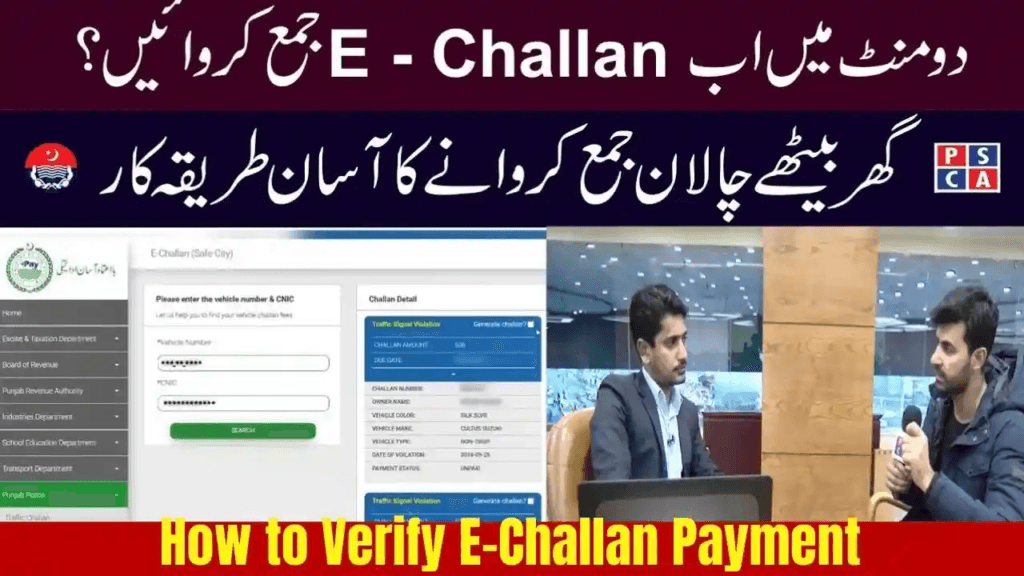
Verify E-Challan Payment Through Punjab PSCA Portal
Punjab Safe Cities Authority provides the most accurate verification system.
Step-by-Step Method
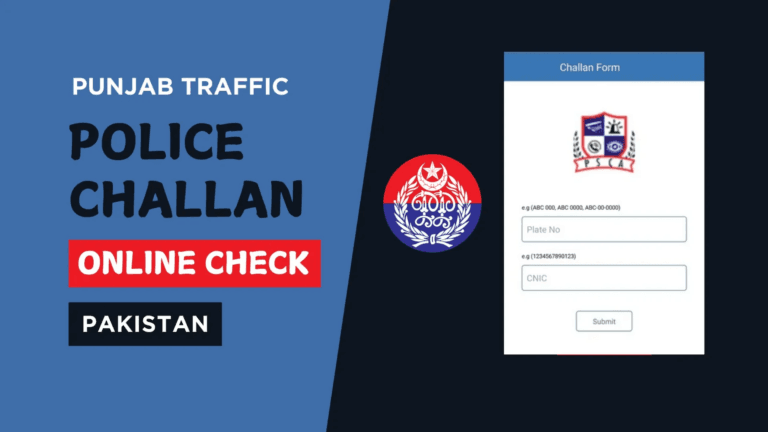
- Visit the official PSCA e-challan verification portal
- Enter your vehicle registration number and CNIC
- Click Search
How to read the result:
- If no challan appears, your payment has been cleared
- If the challan still shows, the system may be updating (usually 30–90 minutes)
This portal shows both paid and unpaid challans and works for cars, bikes, and commercial vehicles.
Verify E-Challan Payment Through JazzCash
JazzCash is one of the most common payment methods, and verification can be done in two ways.
In-App Verification
- Open the JazzCash app
- Go to Payments → Traffic Challan
- Select your province
- Enter the PSID
If the status shows Paid, the payment is successful. Keep a screenshot of the receipt and cross-check on the Safe City portal after some time.
SMS Receipt Verification
After payment, JazzCash sends an SMS containing:
- Transaction ID
- PSID
- Amount
- Date and time
This SMS serves as valid proof until the portal updates.
Verify E-Challan Payment Through Easypaisa
Easypaisa App Method
- Open Easypaisa app
- Go to Bill Payments → Traffic Challan
- Select your region
- Enter PSID
If the challan shows Paid, your payment is cleared.
Payment History Check
- Open My Payments / Recent Transactions
- Download the payment slip
- Match PSID with the challan shown on the portal
Sometimes Easypaisa transactions take 10–30 minutes to sync with government servers.
Verify E-Challan Payment Through Bank or ATM
If you paid via ATM or bank branch, verification is still important.
ATM Verification
- Go to Bill Payments → Traffic Challan
- Re-enter PSID
- If no outstanding amount appears, the challan is paid
Bank Receipt Check
Your receipt should contain:
- PSID
- Paid amount
- Traffic Police / Safe City name
- Transaction reference number
Keep the receipt safe for future disputes or record checks.
Additional Verification Options
Police Apps and Helplines
Some drivers also confirm payment through police apps or helplines:
- Punjab Safe City / Police Helpline: 15
- Islamabad Traffic Police Helpline: 051-9252937
Provide your PSID, transaction ID, and payment method for manual verification.
Common Problems and Their Solutions
Payment Done but Challan Still Visible
This usually happens due to server sync delays.
Solution: Wait 1–2 hours and refresh the portal.
JazzCash or Easypaisa Paid but Not Updated
Contact customer support and keep your receipt ready for manual update.
Wrong PSID Entered
Visit the traffic police or facilitation centre with CNIC, vehicle documents, and payment receipt.
Another Challan Appears After Payment
Check the violation date. It is often a new challan, not the old one.
Safety Tips for E-Challan Verification
- Always verify payment after selling your vehicle
- Keep payment SMS and receipts saved
- Regularly check challan status if cameras are active in your area
- Use only official portals like e-challans.pk for guidance
- Keep screenshots or receipts for at least one year
These steps help avoid issues such as penalties caused by unpaid e-challans due to system delays.
Conclusion
Verifying your e-challan payment is just as important as paying it. Whether you used JazzCash, Easypaisa, or a bank, cross-checking through official portals ensures that your payment is properly recorded. Following the correct verification steps helps you avoid extra fines, legal trouble, and unnecessary stress.
Staying proactive with verification keeps your vehicle record clean and ensures you remain Safe City compliant.
Frequently Asked Questions (FAQs)
How long does it take for an e-challan payment to update?
Usually 30 minutes, but in some cases it can take up to 1–2 hours.
Can I verify an e-challan without PSID?
Yes, you can check using your vehicle number and CNIC on Safe City portals.
My JazzCash payment is successful but challan still shows unpaid. What should I do?
Wait a few hours and refresh the portal. If it remains unpaid, contact JazzCash support or Safe City helpline.
Is the SMS receipt valid proof of payment?
Yes, SMS receipts from JazzCash and Easypaisa are accepted as proof.
How do I verify a bank challan payment?
Match your bank receipt with the Safe City portal. If the challan no longer appears, the payment is cleared.